Table of Contents
- Why llama.cpp Instead of Ollama
- What You Need
- The Setup
- Using the Server
- Configuring Claude Code
- Configuring Codex CLI
- Some Extra Notes
Why llama.cpp Instead of Ollama
Ollama is great for getting started. It wraps everything nicely and just works. But you can get everything but llama.cpp now has all the convenience features including:
- Router mode: Run multiple models from one server, load them on demand.
- Free GPU memory when idle: Unload models after X seconds of no activity (your GPU memory comes back) using
--sleep-idle-seconds - Model presets: Configure per-model settings in a simple config file using
--models-preset - Anthropic API: Very recently, llama.cpp server added support for the Anthropic API format. This means tools built for Claude/Anthropic APIs work with your local models.
What You Need
- A machine with a GPU (or CPU if you’re patient)
- Docker with GPU support (nvidia runtime configured), or just build llama.cpp locally
- A recent llama.cpp build with the server
The Setup
Install llama.cpp
You can follow the instructions on the llama.cpp GitHub page. On my machine I use the docker image and find it to be the most convenient way but you have to setup nvidia container toolkit first.
Quick Start — Pull Directly from Hugging Face
The easiest way to get running is with the -hf flag. llama.cpp pulls the model directly from Hugging Face:
llama-server -hf unsloth/GLM-4.7-Flash-GGUF:UD-Q4_K_XL \
  --alias glm-4.7-flash \
  --jinja \
  --temp 0.7 --top-p 1.0 --min-p 0.01 --fit on \
  --sleep-idle-seconds 300 \
  --host 0.0.0.0 --port 8080
The command above will download the model on first run and cache it locally. When you first call the server it will load the model into memory, and after 5 minutes of idle time it will unload the model from memory to free up GPU memory.
The sampling parameters above (--temp 0.7 --top-p 1.0) are the recommended settings for GLM-4.7 tool use. For general usage, replace with --temp 1 --top-p 0.95 instead.
Or With Docker
docker run --gpus all -p 8080:8080 \
  ghcr.io/ggml-org/llama.cpp:server-cuda \
  -hf unsloth/GLM-4.7-Flash-GGUF:UD-Q4_K_XL \
  --jinja \
  --temp 0.7 --top-p 1.0 --min-p 0.01 --fit on \
  --sleep-idle-seconds 300 \
  --host 0.0.0.0 --port 8080
Multi-Model Setup with Config File
If you want to run multiple models with router mode, you’ll need a config file. This lets the server load models on demand based on what clients request.
First, download your models (or let them download via -hf on first use):
mkdir -p ~/llama-cpp && touch ~/llama-cpp/config.iniIn ~/llama-cpp/config.ini, you could add global and per model settings here:
[*]
# Global settings
jinja = true

[glm-4.7-flash]
hf-repo = unsloth/GLM-4.7-Flash-GGUF:UD-Q4_K_XL
jinja = true
temp = 0.7
ctx-size = 32768
top-p = 1
min-p = 0.01
fa = auto
Run with Router Mode
llama-server \
  --models-preset ~/llama-cpp/config.ini \
  --sleep-idle-seconds 300 \
  --host 0.0.0.0 --port 8080
  --models-max 1
Or with Docker
docker run --gpus all -p 8080:8080 \
  -v ~/llama-cpp/config.ini:/config.ini \
  ghcr.io/ggml-org/llama.cpp:server-cuda \
  --models-preset /config.ini \
  --sleep-idle-seconds 300 \
  --host 0.0.0.0 --port 8080 \
  --models-max 1
Using the Server
OpenAI-Compatible Endpoint
The standard chat completions endpoint works as expected:
curl http://localhost:8080/v1/chat/completions \
  -H "Content-Type: application/json" \
  -d '{
    "model": "glm-4.7-flash",
    "messages": [{"role": "user", "content": "Explain async/await in Python"}]
  }'
Anthropic Messages Endpoint (for Claude Code)
This is the interesting part. llama.cpp now supports the Anthropic Messages API format:
curl http://localhost:8080/v1/messages \
  -H "Content-Type: application/json" \
  -H "x-api-key: any-key-works" \
  -d '{
    "model": "glm-4.7-flash",
    "messages": [{"role": "user", "content": "Write a Python function that sorts a list"}],
    "max_tokens": 1024
  }'
The server translates the Anthropic format to its internal format. This means tools built for Claude/Anthropic APIs work with your local models.
Configuring Claude Code
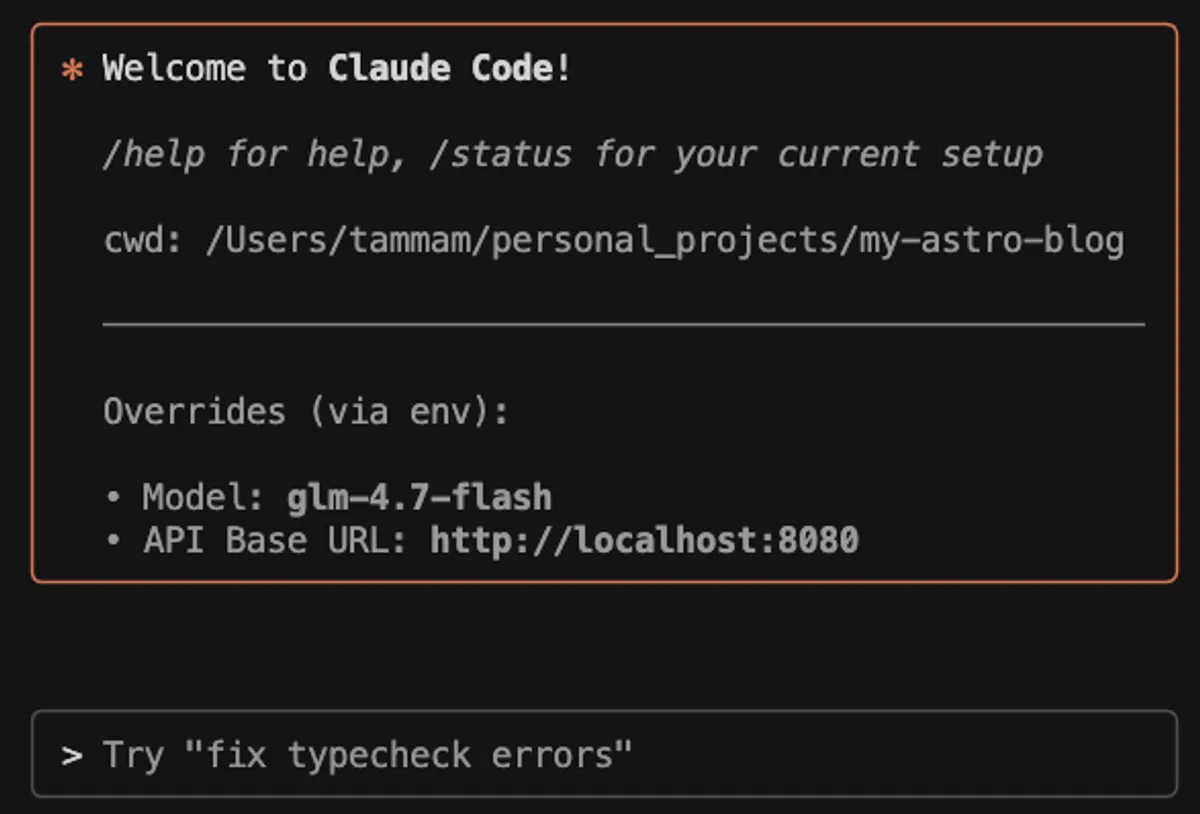
Claude Code can be pointed at your local server. In your terminal run
export ANTHROPIC_BASE_URL=http://localhost:8080
claude --model glm-4.7-flash
Claude Code will now use your local model instead of hitting Anthropic’s servers.
Configuring Codex CLI
You can also configure the Codex CLI to use your local server. Modify the ~/.codex/config.toml to look something like this:
model = "glm-4.7-flash"
model_reasoning_effort = "medium"
model_provider="llamacpp"

[model_providers.llamacpp]
name="llamacpp"
base_url="http://localhost:8080/v1"
Some Extra Notes
Model load time: When a model is unloaded (after idle timeout), the next request has to wait for it to load again. For large models this can take some time. Tune --sleep-idle-seconds based on your usage pattern.
Performance and Memory Tuning: There are more flags you can use in llama.cpp for tuning cpu offloading, flash attention, etc that you can use to optimize memory usage and performance. The --fit flag is a good starting point. Check the llama.cpp server docs for details on all the flags.
Internet Access: If you want to use models deployed on your PC from say your laptop, the easiest way is to use something like Cloudflare tunnels, I go over setting this up in my Stable Diffusion setup guide.
Auth: If exposing the server to the internet, you can use --api-key KEY to require an API key for authentication.